
To connect to a server running Windows, you need to use RDP (Remote Desktop Protocol) — a protocol developed by Microsoft for remote access and management of Windows systems.
On your computer, right-click the Windows icon in the lower-left corner of the screen.
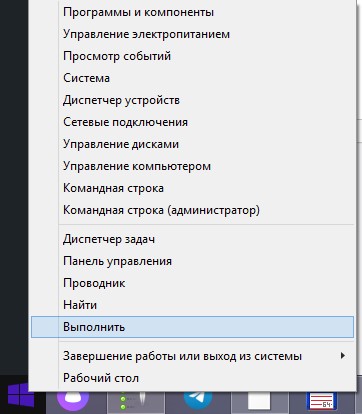
Click Run. In the window that appears:
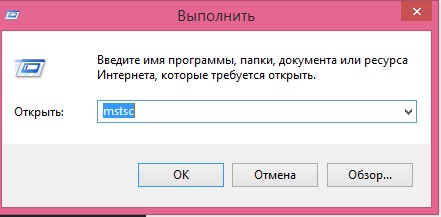
Enter mstsc and press Enter.
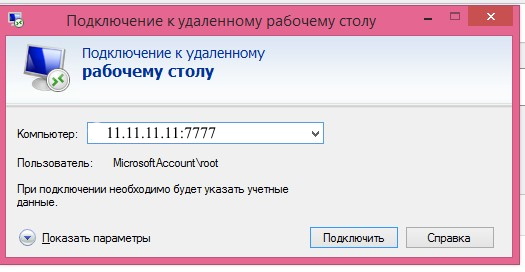
In the new window, enter the IP address of the server that was provided to you. Be sure to specify port 7777.
In the next window, enter your server password.
You can find the password in your email. It should be included in the second email and usually starts with $7…. If you cannot find the message, please check your spam folder.
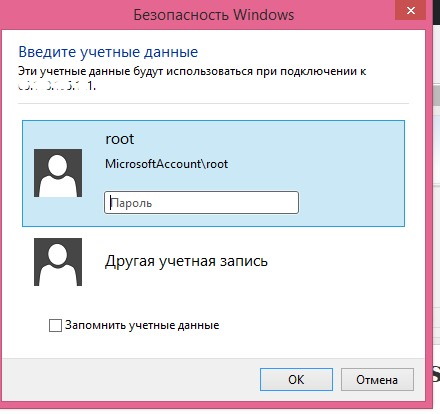
Click OK.
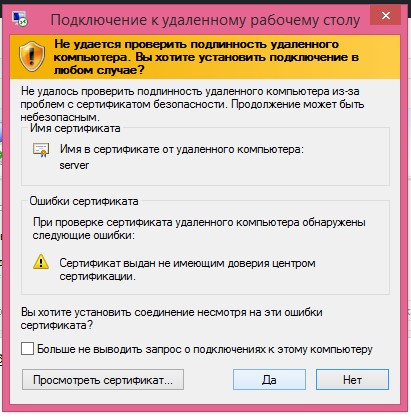
A security certificate warning will appear. Click Yes to accept it.
After that, you will be connected to your server.