
Skip to content
Powervps
Support
Billing

How to Add Funds to Your Balance

You can add funds to your account balance directly from the PowerVPS control panel. Step 1. Open the balance menu In your account, click the amount displayed next to Balance in the upper-right corner. Then select your preferred payment method. Step 2. Enter the amount In the new window, enter the amount you want to […]

1 min read Updated 22.09.2026 Editorially reviewed
Before you begin

Follow the steps in order. Do not share passwords, private keys, or tokens in comments or support requests.

You can add funds to your account balance directly from the PowerVPS control panel.

Step 1. Open the balance menu

In your account, click the amount displayed next to Balance in the upper-right corner.

Then select your preferred payment method.

Step 2. Enter the amount

In the new window, enter the amount you want to add to your balance.
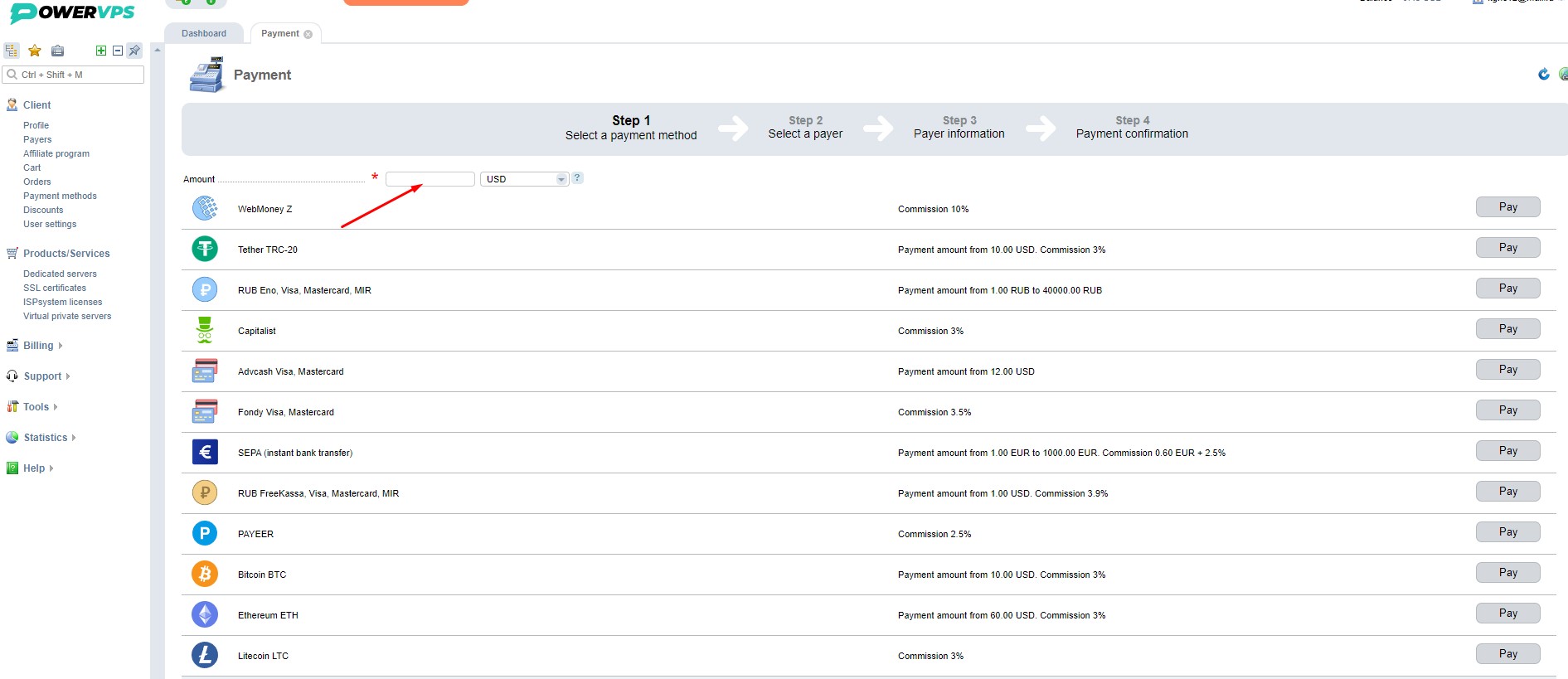
Step 3. Complete the payment

Choose the payment method that is most convenient for you and click Pay.
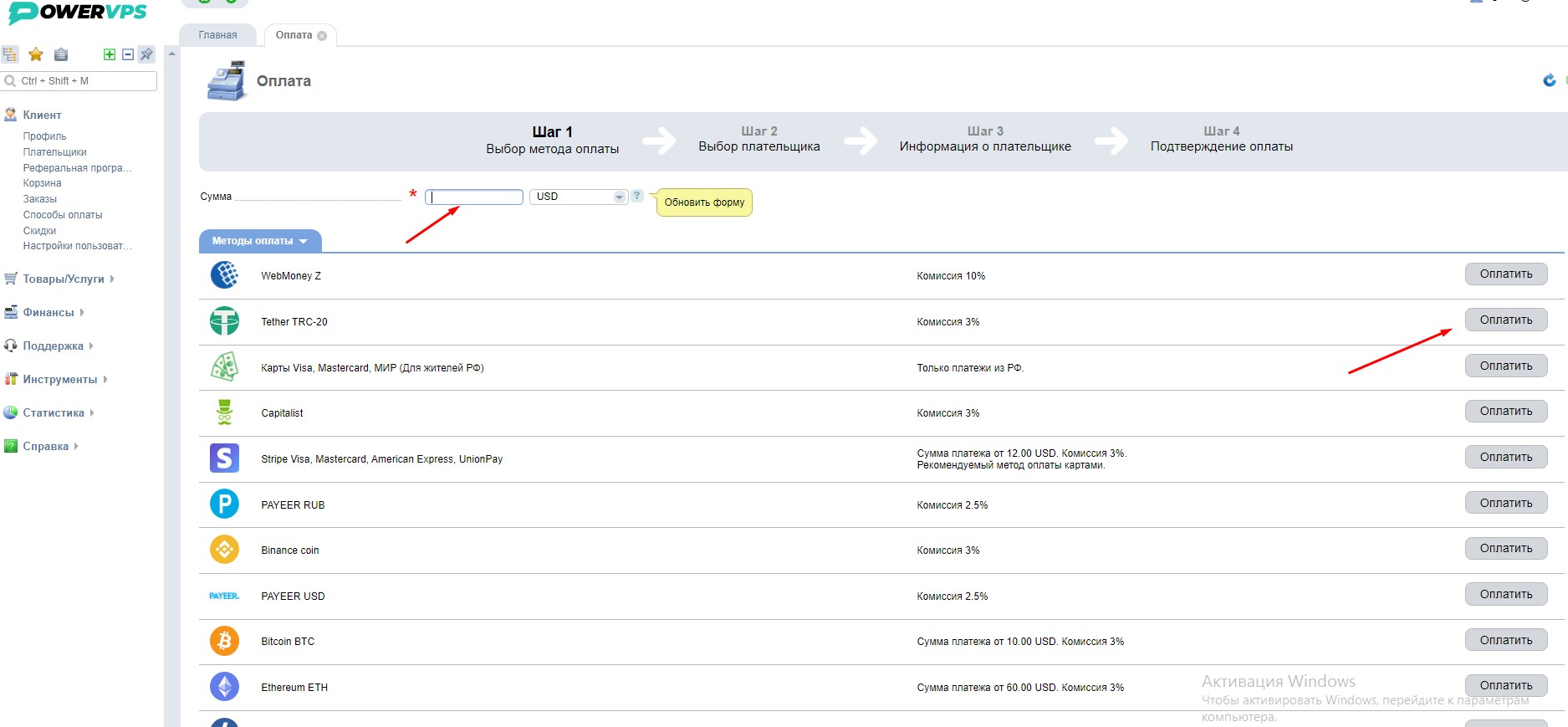
After the payment is successfully processed, the funds will be added to your account balance.

Guide complete

If the issue remains, attach a screenshot and diagnostic results to your support request.

Get help